 AspectTake
One take.
Two videos.
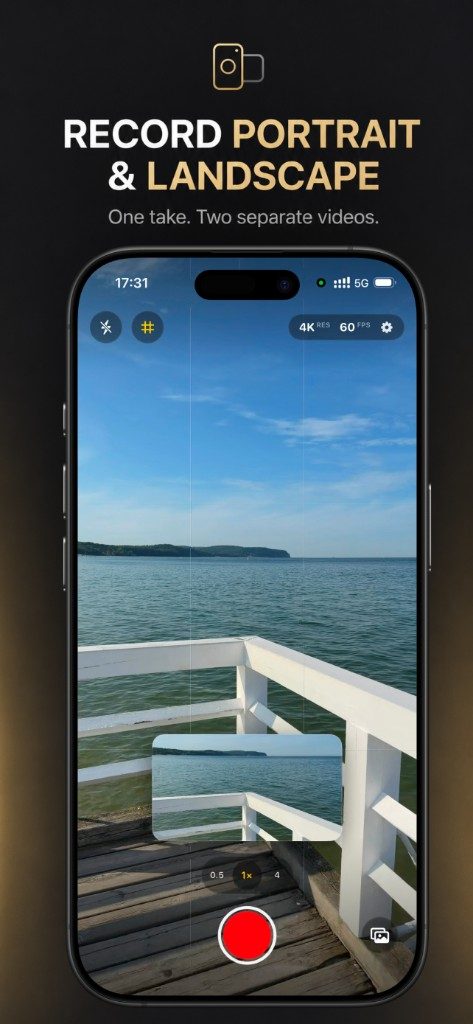
AspectTake records portrait and landscape at the same time. Press record once and get two separate, synchronized files — a 9:16 video for Stories and Reels, and a 16:9 video for YouTube.
Designed for iPhone · One-time purchase · No tracking
Stop recording everything twice.
One camera session, two aspect ratios. Frame the shot, record once, and publish the right format everywhere.
One take, two videos
Press record once and get two separate, synchronized files: a portrait 9:16 video and a landscape 16:9 video.
Real landscape framing
A live landscape preview shows exactly what the 16:9 file will contain — no guessing, no cropping surprises later.
Move or hide the preview
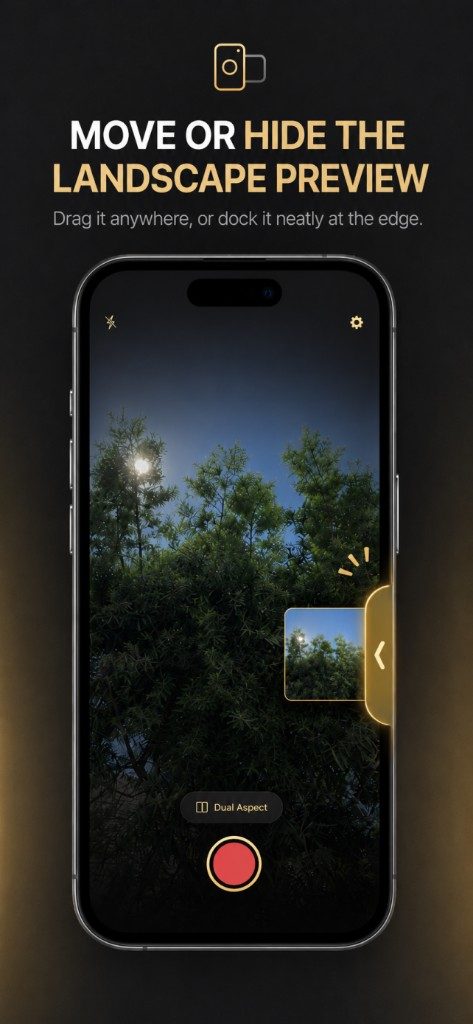
Drag the landscape preview anywhere on screen, or dock it neatly at the edge until you need it again.
Choose your quality
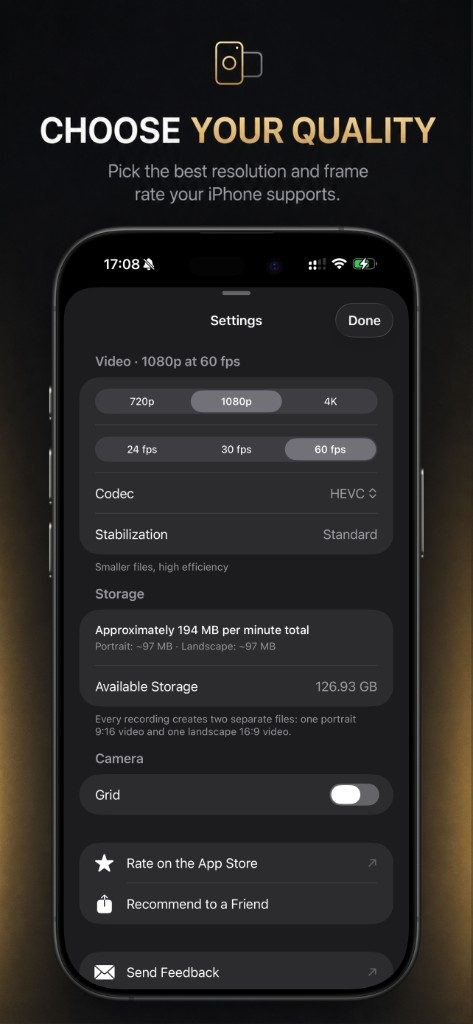
Record in 720p, 1080p, or 4K at 24, 30, or 60 fps — whatever your iPhone supports — with HEVC or H.264.
Saved to Photos automatically
Both files land in your Photo Library as normal videos, ready to share on any platform.
Private by design
No account, no analytics, no ads, no tracking. AspectTake can only add videos to Photos — it cannot read your library.
Two real files. One shared moment.
Both videos begin and end together, share the same synchronized audio, and are saved to your Photo Library as normal standalone files. No merged split-screen video, no cropping in an editor afterwards — the landscape preview shows exactly what the 16:9 file will contain.
- Portrait 9:16 and landscape 16:9 saved as separate videos.
- Same duration and synchronized audio in both files.
- Live landscape preview you can drag or dock at the edge.
- Both videos saved automatically to Photos.
How it works
Three small steps. Then both formats are ready to post.
-
STEP 01
Frame the shot
Open the app and frame with the fullscreen portrait preview and the movable landscape preview.
-
STEP 02
Record once
Press record. AspectTake captures the same moment into both aspect ratios, with synchronized audio.
-
STEP 03
Share anywhere
Both videos are saved to Photos — post the portrait file to Stories or Reels and the landscape file to YouTube.
One price. Everything included.
AspectTake is a one-time purchase on the App Store. Buy it once and own it — no subscription, no in-app purchases, no account.
- One-time purchase on the App Store — no subscription
- Every recording produces both portrait and landscape files
- Full quality options: up to 4K at 60 fps where supported
- Torch, lens selection, pinch zoom, tap-to-focus, and grid included
Frequently asked questions
Everything you need to know about AspectTake, quality options, and privacy.
- What does AspectTake do?
- AspectTake records one take into two separate video files at the same time: a portrait 9:16 video and a landscape 16:9 video. Both files start and end together, share the same audio, and are saved to your Photo Library as normal videos.
- Is AspectTake a subscription?
- No. AspectTake is a one-time paid app on the Apple App Store. You buy it once and own it — there are no subscriptions or in-app purchases.
- What video quality does AspectTake support?
- AspectTake records in 720p, 1080p, or 4K at 24, 30, or 60 fps, depending on what your iPhone and the selected camera support. You can choose HEVC for smaller files or H.264 for maximum compatibility.
- Does the landscape preview appear in my videos?
- No. The landscape preview is a framing tool only. You can drag it anywhere or dock it at the screen edge, and it never appears in either saved file.
- Is AspectTake private?
- Yes. AspectTake has no account, no analytics, no ads, and no tracking. It requests add-only Photos access, which means it can save your finished videos but cannot read, browse, or view the photos already in your library.
- How much storage do recordings use?
- Every recording creates two files, and the app shows a clear per-minute estimate before you record — for example roughly 194 MB per minute total at 1080p 60 fps with HEVC. AspectTake also checks free space and warns you before a recording is likely to fail.
- What devices does AspectTake support?
- AspectTake is built for iPhone and requires iOS 26 or later. It is available on the Apple App Store.
Record once. Publish everywhere.
Built for iPhone. One take gives you both portrait and landscape — ready to share.